

Before You Start
- Ensure you have enough SOL for transaction fees
- Have ETH on Base for gas fees
- Never swap your maximum amount - always leave some for future transactions
Bridge Your SOL to Base
Follow these simple steps to bridge your SOL tokens to ETH on Base network using Phantom Wallet.Requirements
Phantom Wallet (app or browser extension) with SOL balance and ETH for gas
Step-by-Step Guide
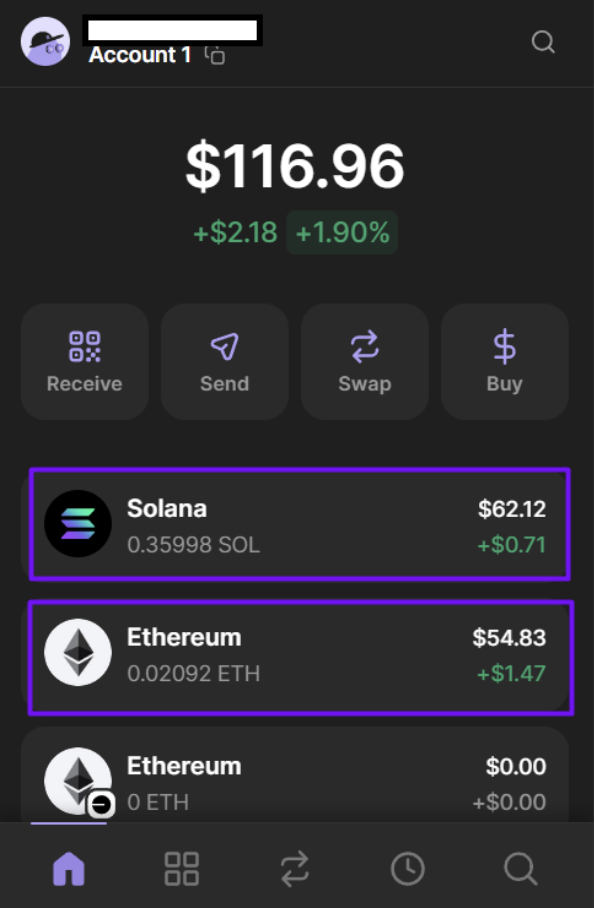
1. Open Phantom Wallet
Pro Tip
Make sure you’re connected to the correct wallet address before proceeding.
2. Access Swap Feature
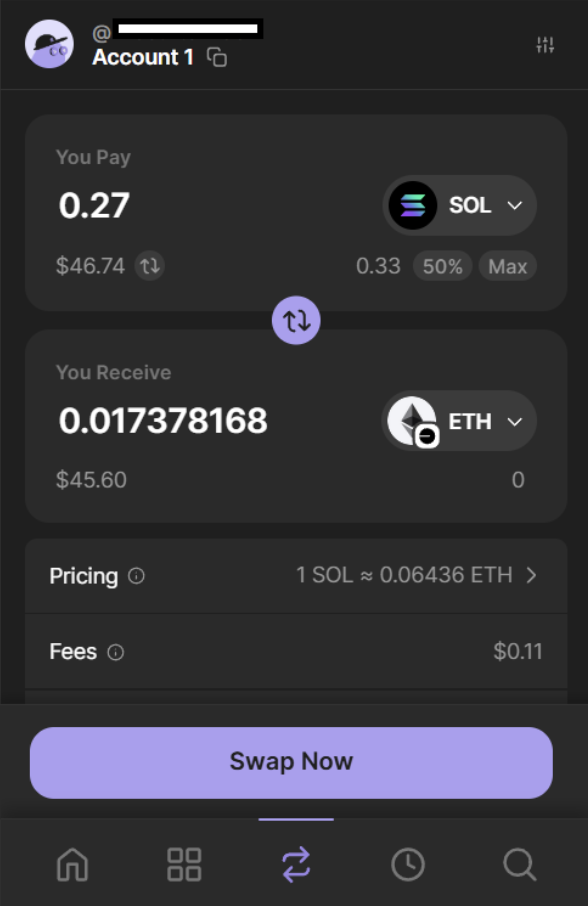
3. Select Your Tokens
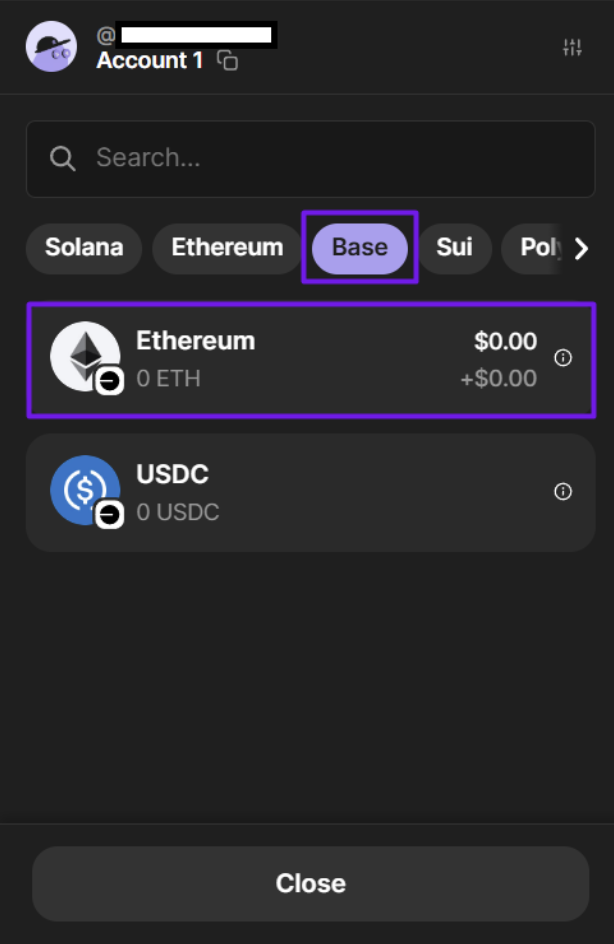
From
SOL (Solana)
To
ETH (Base)
4. Enter Swap Amount
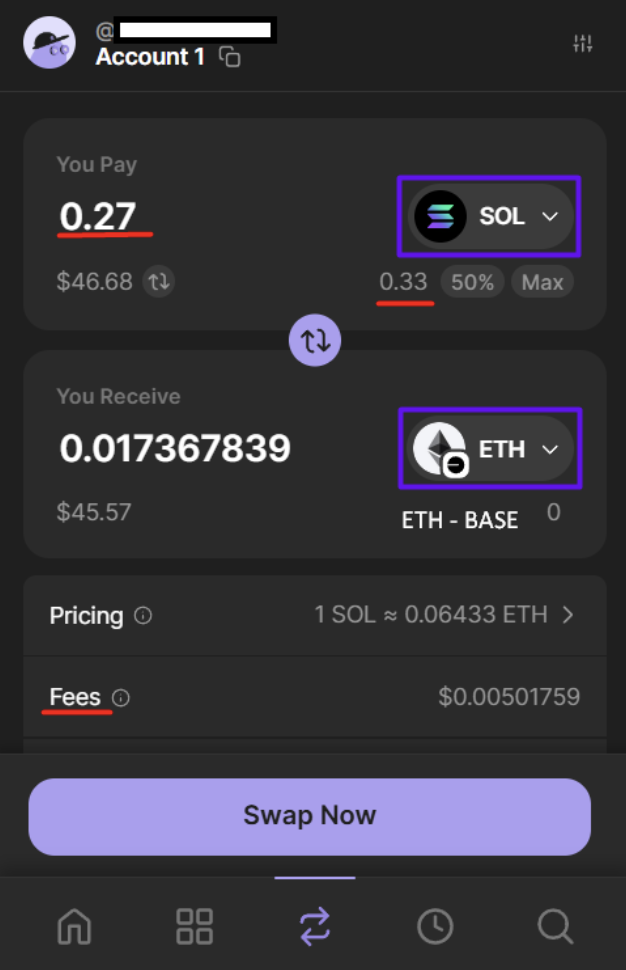
Important: Do not swap your maximum amount. Always keep enough SOL for:
- Future transaction fees
- Emergency swaps back
- Network operations
5. Review Your Quote
Before confirming, carefully check:- Amount of ETH you’ll receive
- Network fees
- Estimated time of arrival (ETA)
6. Confirm Your Swap
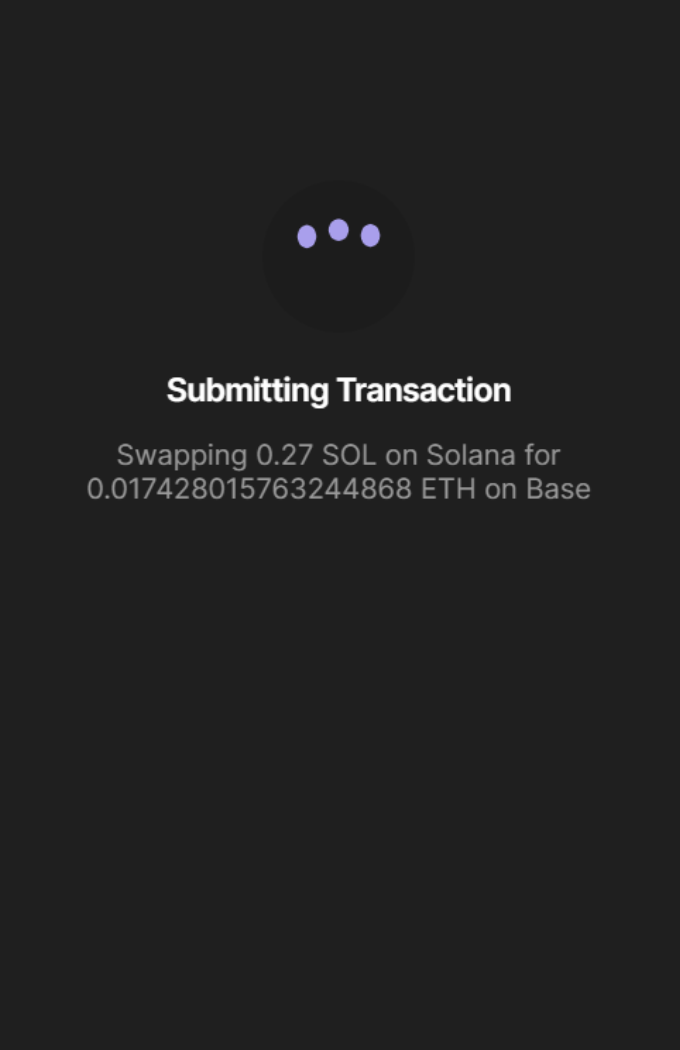
- Click “Review Order” to see final details
- Click “Swap” to submit the transaction
7. Track Your Transaction
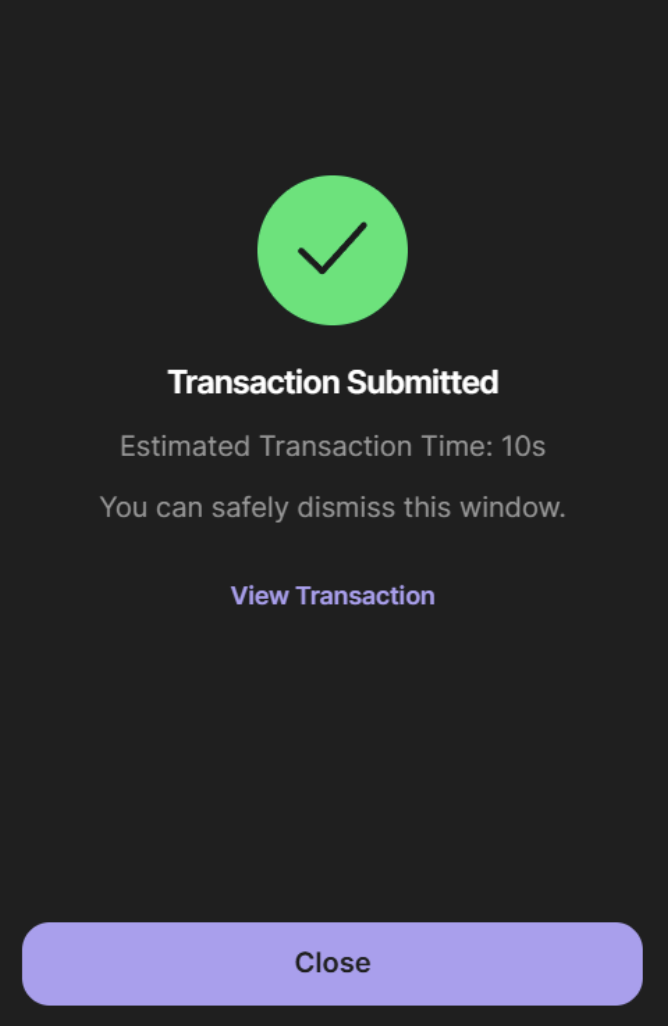
Transaction Status
Your swap typically completes within 2-10 minutes depending on network congestion